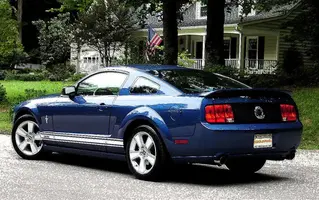
My newest wallpaper pic

kooldawg6

mine works really well and can take a fair amount
Aug 31, 2006
1,679
2
38
Central VA
Adobe Photoshop using the ink outlines filter:D

DSC03851-inkoutlines.webp
 

Attachments

  • DSC03851-inkoutlines.webp
    DSC03851-inkoutlines.webp
    120.6 KB · Views: 89
Crazy how a simple click of the mouse can make a great picture look like a Van Gogh painting....

Looks great from far away, but kinda crappy up close, just like the so call "Van Gogh Girls" (not my terminology). Personally, I'd prefer a clean shot of the car, it's pretty beautiful as is. Then again, I am kinda jealous that I don't have photoshop to play around with.....
 
I like to mix them up from time to time:nice:
Post up a pic of you car brewer:D
I know apexstang has me waiting for his "finished" ride once he gets wheels for another pic for his wallpaper:nice:
 
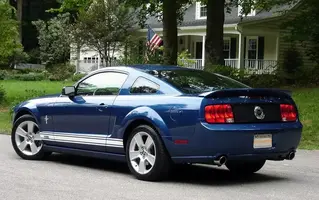
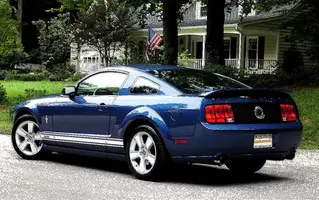
Here are both the untouched(except for plate masking:D ) and touched versions together for comparison.

DSC03851-1.webp


DSC03851-inkoutlines.webp
 

Attachments

  • DSC03851-1.webp
    DSC03851-1.webp
    105.3 KB · Views: 88
  • DSC03851-inkoutlines.webp
    DSC03851-inkoutlines.webp
    120.6 KB · Views: 92
Thanks. Yeah, I try to incorporate it into the image so it's not obtrusive, but I also try to place it so it can't be easily "removed".

The biggest hint I can give you is to layer when you're using effects. Most of the built in effects in photoshop are way too strong. When people first start using photoshop (myself included), the first thing they do is start throwing a bunch of effects on pictures. And they're happy with it because it looks different than it did when you started (again, myself included). But Then a few years later, you'll go back and look at the photos, and decide you completely ruined the photo. If you use layers, you can change the opacity, so the full effect is not being shown. You can also change the blending mode. I usually use soft light, screen, overlay, or multiply, depending on the effect, and usually between 30 and 70% opacity for effects layers. Tutorials are a great way to learn new techniques.

http://www.pslover.com/tutorials/photo_effects/1
http://www.good-tutorials.com/tutorials/photoshop