
You are using an out of date browser. It may not display this or other websites correctly.
You should upgrade or use an alternative browser.
You should upgrade or use an alternative browser.
photoshop help
- Thread starter milty
- Start date

blackened88lx
Active Member

90
Active Member
90
Active Member
90
Active Member

ChromdOutDubs
Member


powertrax91
Founding Member

Billet grilleFog lights

Color combo is nice anyway.
At first i thought you were going to say
Billet Grills BATMAN....wings on a notch....lol

Whytry91
New Member
I only had a few mins, but here you go...


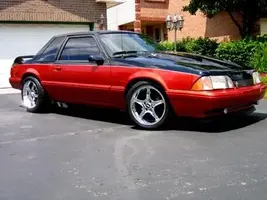
I need help with photoshop. Can someone change the black to grey and the red to orange? It would be greaty appreciated.
90
Active Member

cenok is family
15 Year Member
show off's....
i can tell you put more heart and soul into yours though

Whytry91
New Member
show off's....

The red to orange was easy..... if you care to know.... and are using Photoshop.....go up to the menu bar at the top and click image....then click adjustments....I think about halfway down you'll see replace color.....a little box will pop up. you'll see the cursor change to the color picker looking thing and click on the red, now you can mess around with the sliders in the box and change it to any color you wish.......as far as the black went, I actually used different shades of grey and the brush tool, using between 25-50% opacity on the brush.....
there is a little more to it, but that will atleast give you a headstart...but hey..."A" for effort!!!!
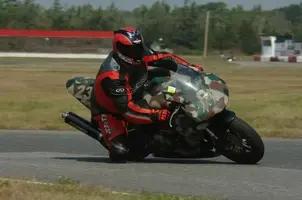
Oh and yes I know he wanted the car done not the bike... !!!!
Similar threads
- Replies
- 2
- Views
- 132
- Replies
- 5
- Views
- 168


- Replies
- 2
- Views
- 170
- Replies
- 10
- Views
- 216
