

lenko
Member
My Gem open/close setting shows "On" can you click on yours and change it. Mine can be changed from ON to OFF and back to ON.
I don't think mine has an on/off. IIRC you have to type in the value for what you want to change. like there is no list or anythingMy Gem open/close setting shows "On" can you click on yours and change it. Mine can be changed from ON to OFF and back to ON.

Yeah I was thinking about that. I'm thinking Roush may have had to modify it when they had it. I still have the old module and I did download the files from it but it was so long ago I'd want to do it again to be sure i'm using the correct file. i also have another 2005 Roush but its a coupe with a manual trans so won't be exactly the same but if i knew which one was for the fog lights i'd be able to copy those over. and yeah the replacement was used. new ones haven't been available for yearsWas this a brand new module or a used unit?
ForScan generates a list for some selectable features. They will list it under the menu item that does not constain (as_built format)

For example above. This is the same module. The top one will have all the various bits and numbers broken out, the bottom one will have some of the features in list format, but not all. The menu usually self populates if folks have found what bits do what and report it to forscan. It gets rolled into the next revision.
I assume the old module is dead? If it's not, you can plug it back in and download the as built data from that module and save it to your computer. You would go into the correct module in the as built format menu, and select save to save the module configuration from the module to your hard drive.
If the module is dead, or you do not want to reinstall it, you can download your as_built direct from Ford
You enter your VIN and it will provide you with the right coding for each module.
If by any chance Roush modified the as_built, you might want to try and pull it from the module itself, if it's able to be read.
Once you have the correct as_built downloaded, open up forscan and navigate to the correct module. Again, you want the as_built format menu. At the bottom, hit load all and load up the as_built you downloaded from Ford. It should change the values around on the screen. After this, hit "write all" and that will write the as-built to the new module.
I know that's a pain, but it may be quicker to just pull and write the as built to the module vs trying to find what single bit of code did the fog lights. You might even be able to pull the as built from your other Roush and load it onto the module. Regardless...save the as-built currently on the module now, as you know it works other than the fog lights.
Anyone messing with forscan should just back up all their modules to their harddrive anyway. Load up each module and save it and then store it in a safe place. If that module ever craps the bed, or you make changes that really fudged up how the vehicle is behaving, you can just load your original file up and be done.
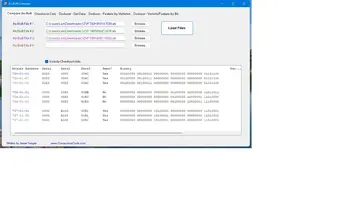
Don't have anything else to add - good luck.Well about time to get on this project. Started a new job about 6 weeks ago and the cars are put away for the winter so time to focus on getting them ready for next season.
I think my initial plan is to compare the data between the 2 cars. I do have the old files from the original BCM that I saved awhile back so I might do the comparison trick out of curiosity but if nothing stands out I might just upload the old files.
Might start on this tomorrow after work. I have not saved the ones from the coupe yet so will start with saving those then start comparing.
Any last words of advice?

Yeah I have heard good things about that stuff

