Timing Help ASAP

Kevin R.

New Member
Jun 3, 2004
473
0
0
Ohio
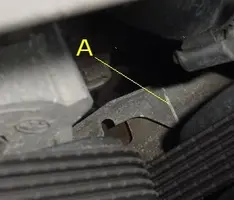
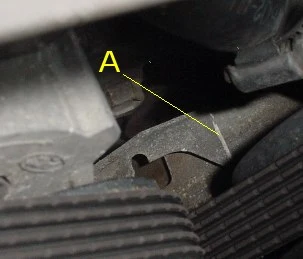
Okay. When looking at the balancer and setting the timing, where is the "mark" at to where you set it. Is it the half-circle cut-out? Or is it on the tip?

This isn't exactly what mine looks like so it is hard to use, but do I use the circle? Or, on mine, where the line is marked in this picture, mine comes to an end. I'm sure you'll know if you own the car.
timing2.webp
 

Attachments

  • timing2.webp
    timing2.webp
    11.9 KB · Views: 546
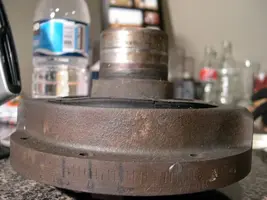
There are timing marks on the balancer. Showing 0 degree and then it shows both 30 degrees BTDC (before top dead center) and 30 degrees ATDC (after top dead center). Hope this picture helps.

DSCN8404.webp


Jeremy
 

Attachments

  • DSCN8404.webp
    DSCN8404.webp
    42.6 KB · Views: 136
Yeah thats a good pic, it helps if u go under the car and find on the balancer where u want the timing to be and mark it with white out or something white, That way you can see it easier when ur up top trying to find the timing.
 
Ya i know those marks. I just don't know what the marker is that shows what the timing is at.

It is hard to explain. Like, what is the place on the metal marker above the balancer that I look at to see what number it is?

Also, how the hell do you turn the distributor? I loosened the bolts. But doesn't turn...
 
Kevin R. said:
I got it all figured out now but is it 10*ATDC or 10*BTDC stock?

Use the marks on the side of the "0" where you see they go all the way up to 30 and then you will see BTC.

Use the pic Jeremy gave you to look at and it will become clear to you.

Grady
 
Hmm. Well it goes 10ATC 0 10BTC 20BTC 30BTC so it sounds like it is 10BTC, because otherwise how could you advance to 10+ if it was ATC? Because it doesn't go that way...

Ya, I see all the numbers, problem is there is two 10's.