

You are using an out of date browser. It may not display this or other websites correctly.
You should upgrade or use an alternative browser.
You should upgrade or use an alternative browser.
Progress Thread Tannerc91gt’s Build(s) Thread
- Thread starter tannerc91gt
- Start date

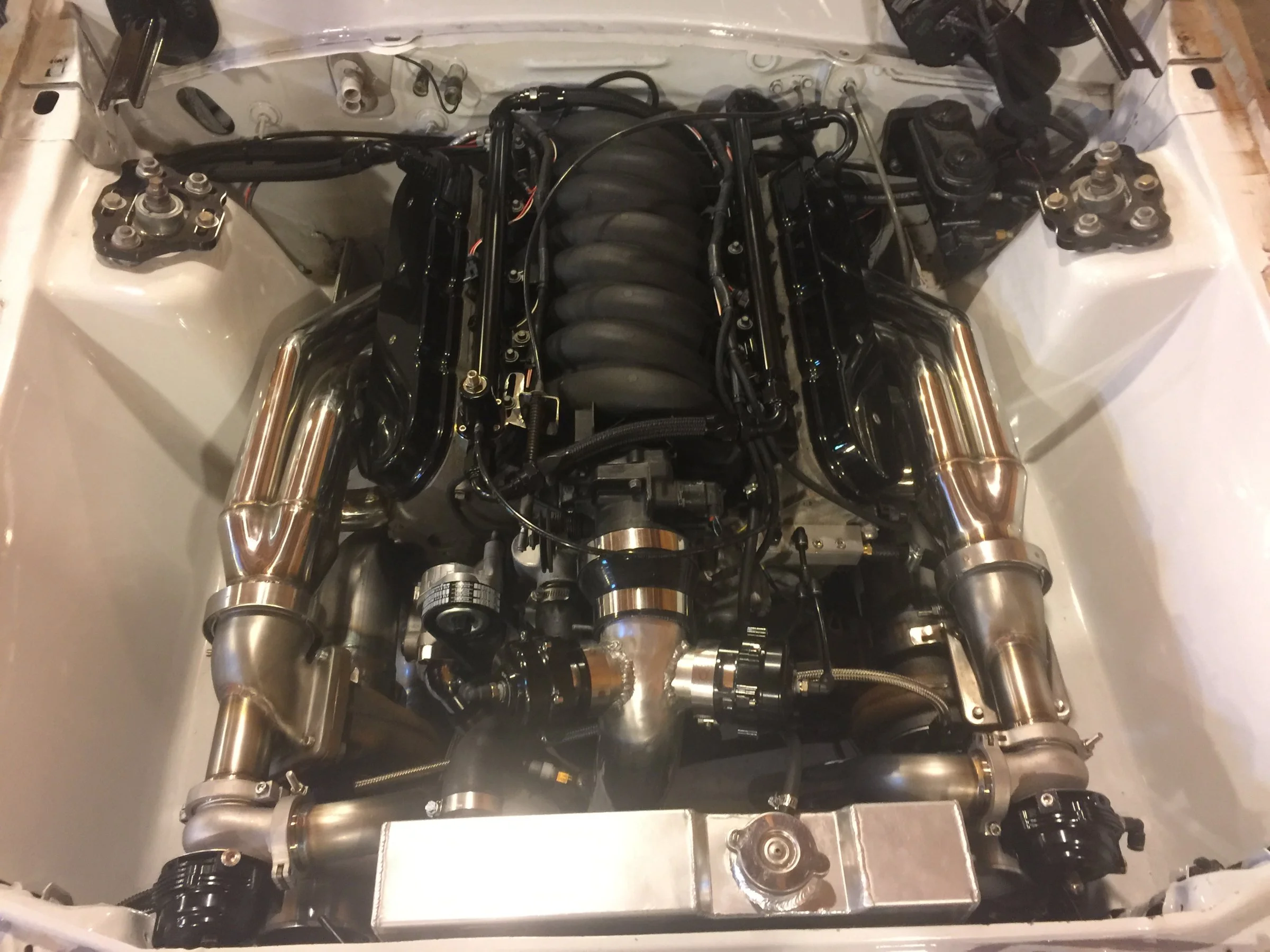
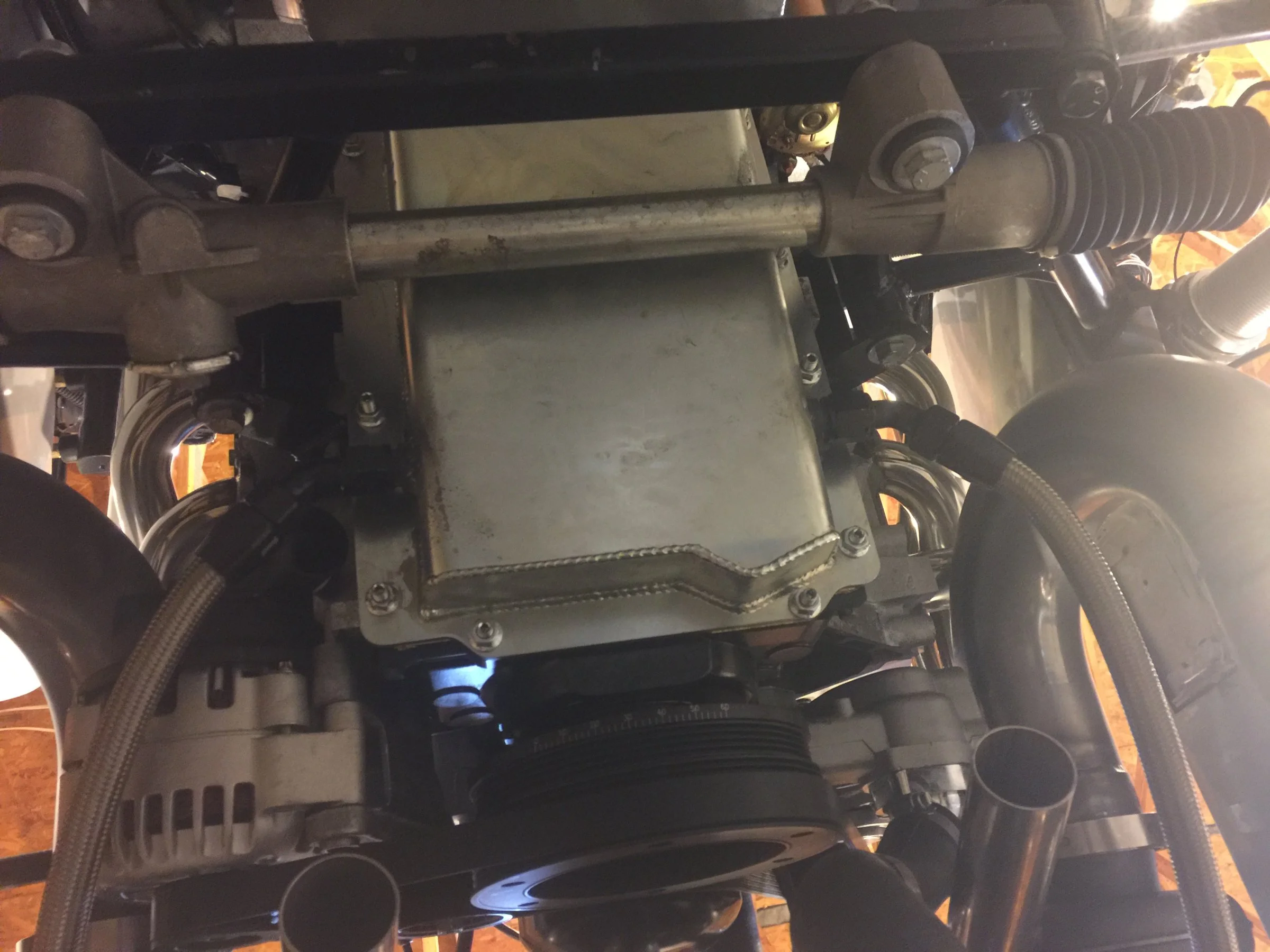
Tonight I got the turbo oiling knocked out. Got the oil pan torqued down and I know a few more things I can't remember now. Oh and a belt, I found the right belt.
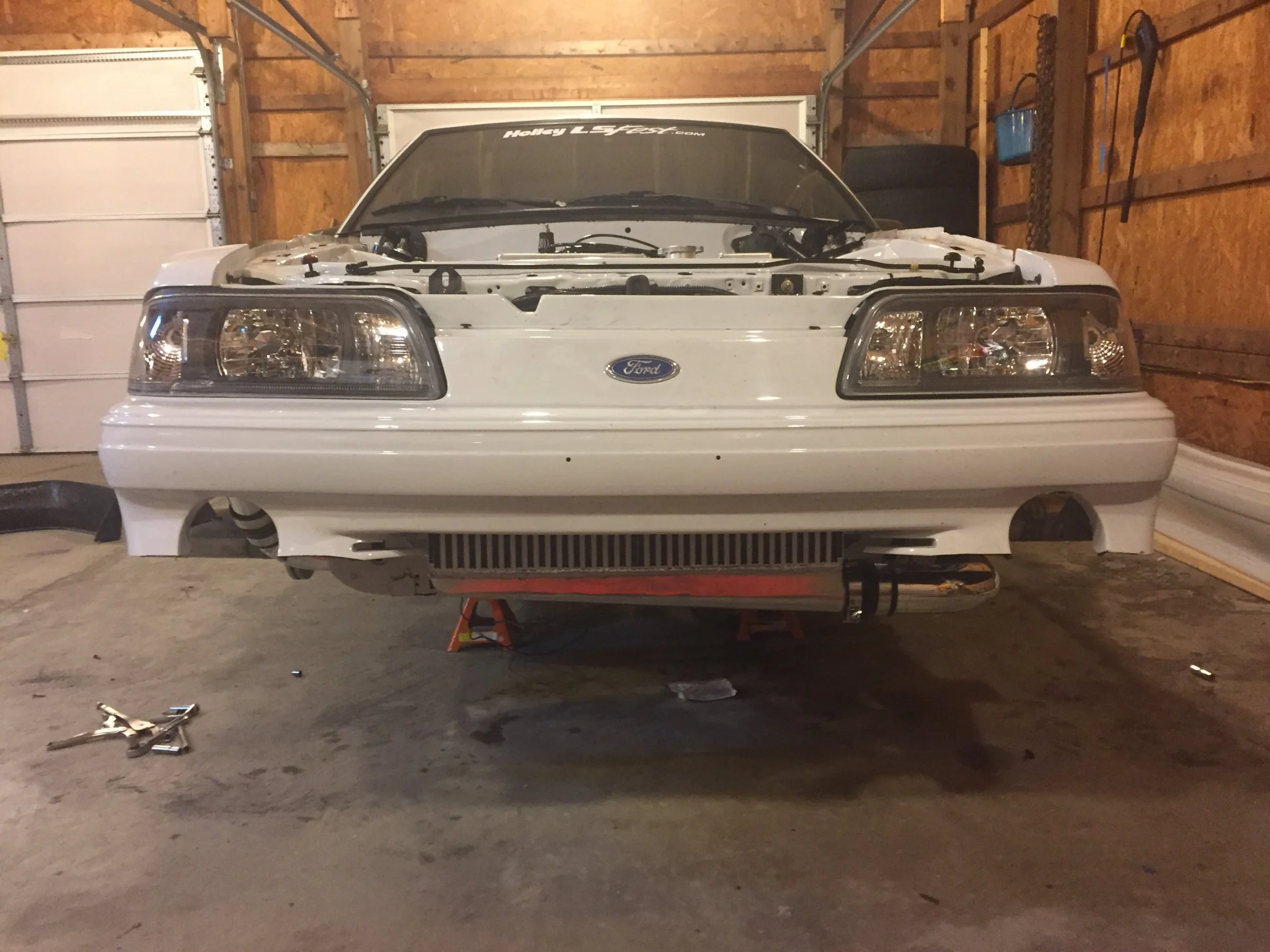
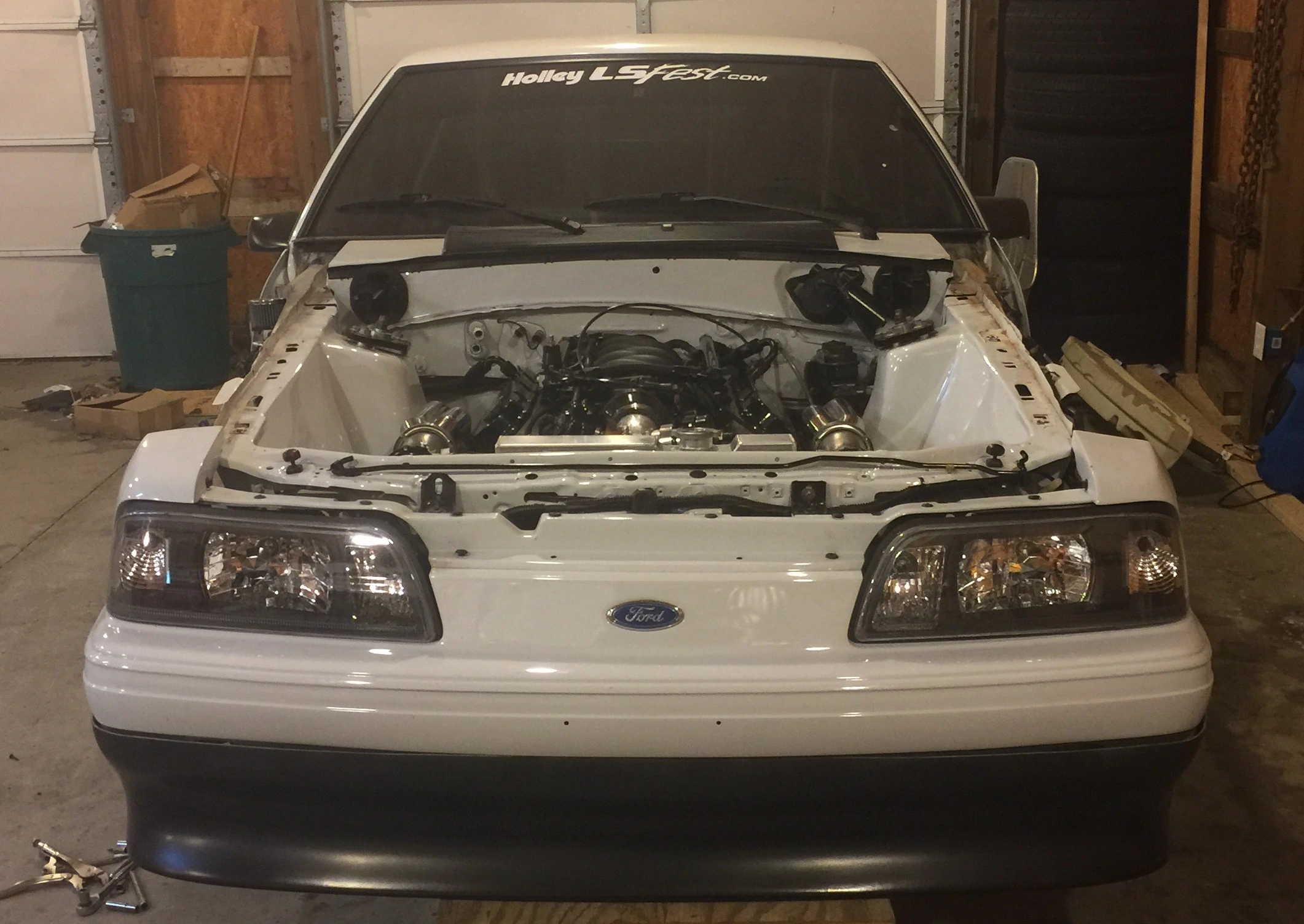
Then I had to test fit the new bumper piece. Can already tell I'll have to tweak one of the downpipes but in general I'm very happy with how it's coming out.
Felt wrong but it died an honorable death.
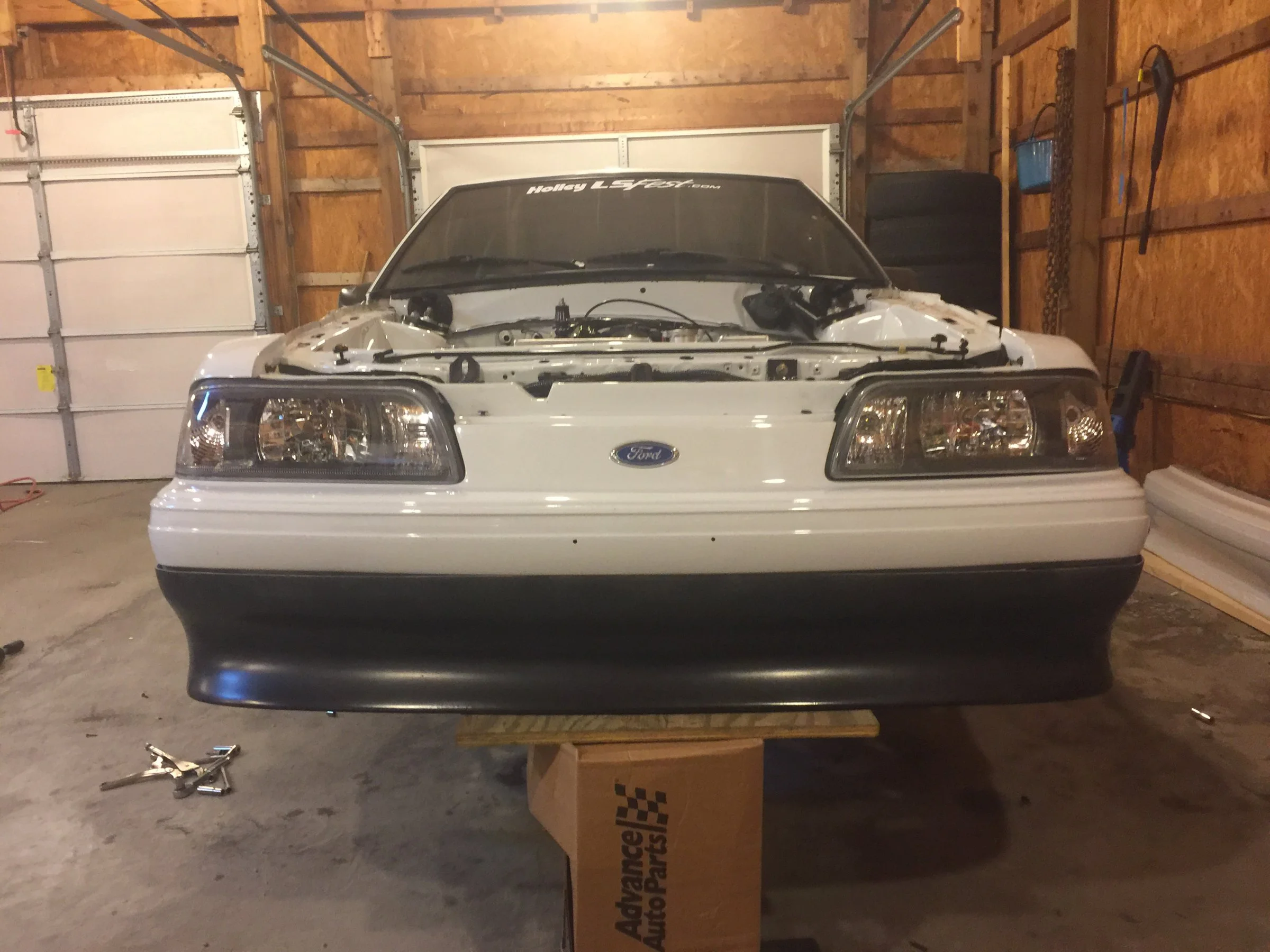
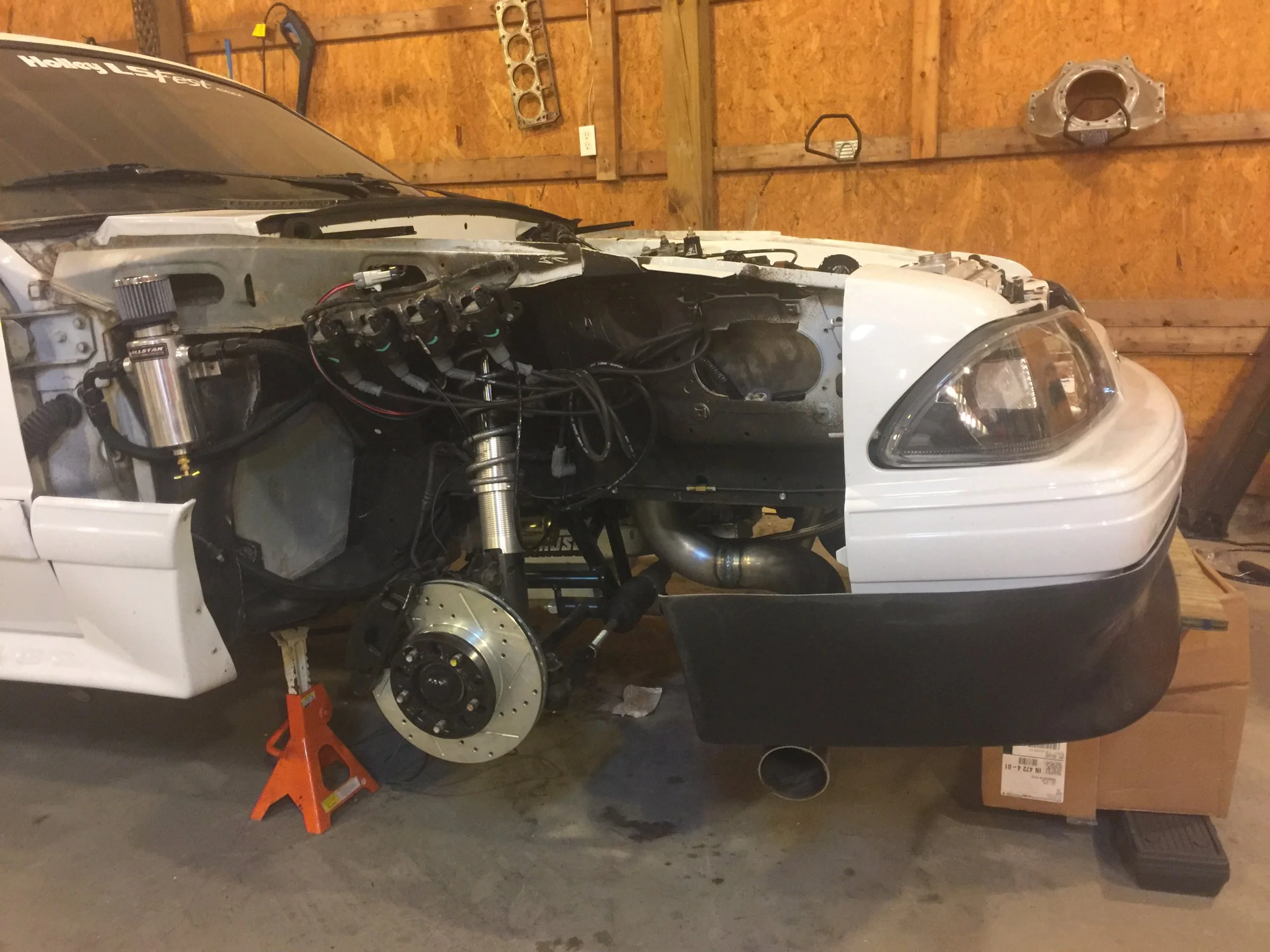
Also decided to forego using someone else's tune and build my own start-up so this will be the post to reference when we're trying to figure out why it let go at an idle.
Then I had to test fit the new bumper piece. Can already tell I'll have to tweak one of the downpipes but in general I'm very happy with how it's coming out.
Felt wrong but it died an honorable death.
Also decided to forego using someone else's tune and build my own start-up so this will be the post to reference when we're trying to figure out why it let go at an idle.

I can help with the tune if needed.
Or explain certain functions/settings sometimes they appear to be ambiguous.
Can't wait for a running video.
Or explain certain functions/settings sometimes they appear to be ambiguous.
Can't wait for a running video.
I appreciate it and will probably be PM'ing you some questions once I get it going.I can help with the tune if needed.
Or explain certain functions/settings sometimes they appear to be ambiguous.
Can't wait for a running video.
I built a super conservative timing map and a pretty rich AFR table so unless I've messed up some ignition configurations it should run alright (knock on wood).
My MS3 came with the full version of tuner studio, VE Analyzer and the logger access so I've got access to everything I'll want I think.
The boost controller/2-step/transbrake/etc stuff is a little complex for a beginner but I'm months away from even trying to screw around with that.

- Dec 19, 2010
- 5,721
- 4,244
- 224
Tonight I got the turbo oiling knocked out. Got the oil pan torqued down and I know a few more things I can't remember now. Oh and a belt, I found the right belt.
Then I had to test fit the new bumper piece. Can already tell I'll have to tweak one of the downpipes but in general I'm very happy with how it's coming out.
Felt wrong but it died an honorable death.
Also decided to forego using someone else's tune and build my own start-up so this will be the post to reference when we're trying to figure out why it let go at an idle.
Man it looks great with that bumper, but where is the air going to come from that has to flow through the radiator and intercooler during street driving?
It's easier than you think, I like the 3.4.2 firmware and you should upgrade to tuner studio ultra if you haven't already.I appreciate it and will probably be PM'ing you some questions once I get it going.
I built a super conservative timing map and a pretty rich AFR table so unless I've messed up some ignition configurations it should run alright (knock on wood).
My MS3 came with the full version of tuner studio, VE Analyzer and the logger access so I've got access to everything I'll want I think.
The boost controller/2-step/transbrake/etc stuff is a little complex for a beginner but I'm months away from even trying to screw around with that.
Getting the car to run and tune WOT is easy..... idle quality and drivability are what take the longest to get right.
May be a little elementary (I know you have used other software) but this is a good read.
http://www.megamanual.com/begintuning.htm
Good observation. Concerned about it myself.Man it looks great with that bumper, but where is the air going to come from that has to flow through the radiator and intercooler during street driving?
Trans cooler has a fan and will be mounted out back. Radiator will get a really good fan. Intercooler I think will end up being fine but we'll see.
If I have any cooling trouble at all (more than likely will) I'll do the cobra grille to open up the nose a bit and if it proves to be starving the intercooler I'll either cut an opening in the lower portion or go a2w. I've always liked this style bumper but it was mostly done because I hated how the exhaust was going to look coming out through the GT extensions.
Michael Bunton's car for reference. He used the same valance.
I'm not too good for beginner stuff lol. I appreciate the link.It's easier than you think, I like the 3.4.2 firmware and you should upgrade to tuner studio ultra if you haven't already.
Getting the car to run and tune WOT is easy..... idle quality and drivability are what take the longest to get right.
May be a little elementary (I know you have used other software) but this is a good read.
http://www.megamanual.com/begintuning.htm
I registered my ECU tonight to get full Tuner studio/ MegaLog access but what am I missing with Ultra?
I'm not sure what firmware my ECU has as I've not powered it up and connected to it yet.
How low is the car going to sit? If you have space an air dam that goes from one fender to the other creates a huge negative pressure in the engine bay.
I installed mine and saw a 15* drop in IAT during typical driving, as well as a reduction in engine temps. Also looks good.
Please forgive my terrible paint.
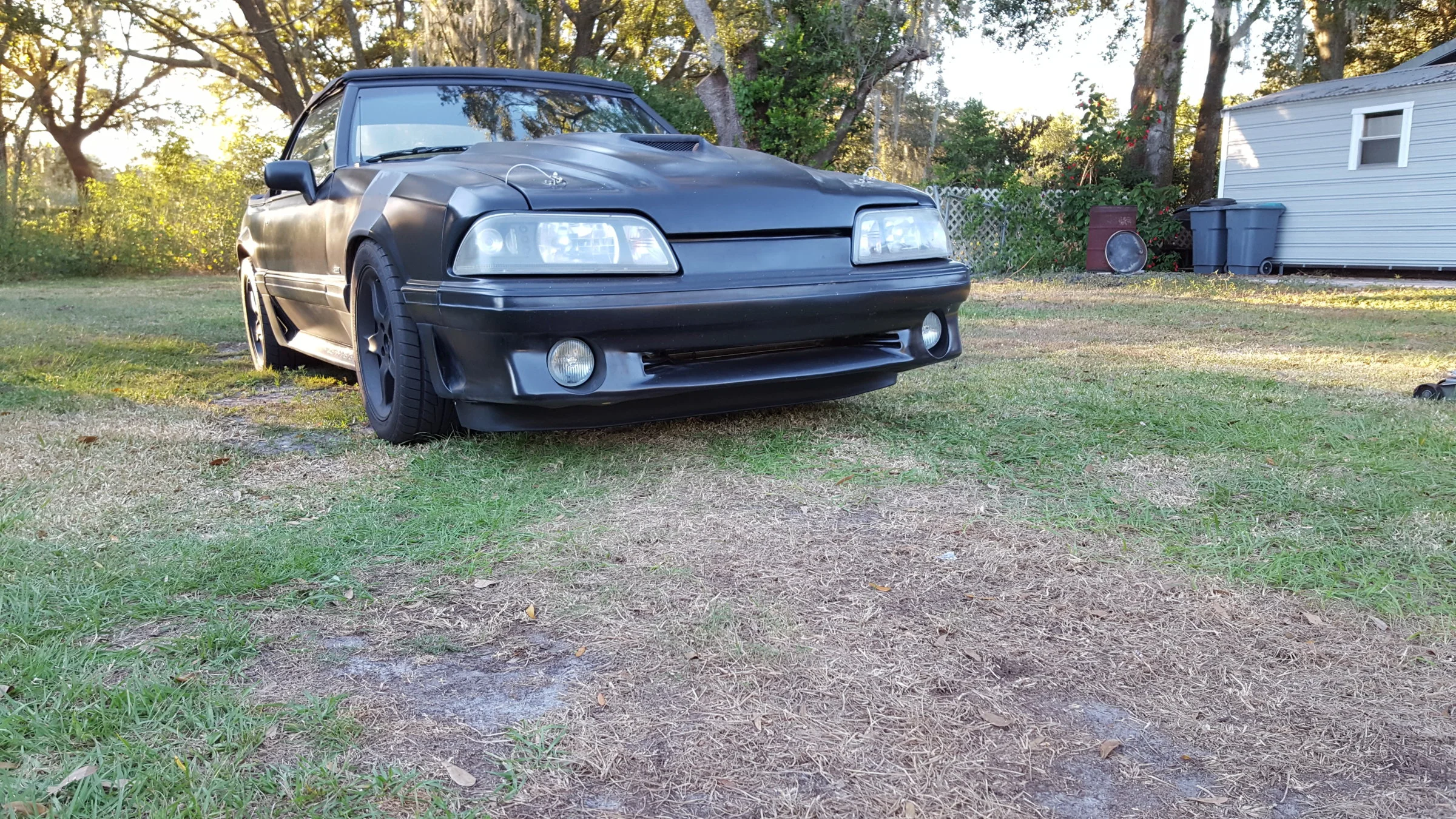 the air dam in used is from a Ranger I believe. I can dig the info up from my thread.
I installed mine and saw a 15* drop in IAT during typical driving, as well as a reduction in engine temps. Also looks good.
Please forgive my terrible paint.
Real time graphical sensor feedback and other junk. It also has a slightly more user friendly interface. It integrates extra functions to ease the tuning process. You can read more about it from the tunerstudio webpage.I'm not too good for beginner stuff lol. I appreciate the link.
I registered my ECU tonight to get full Tuner studio/ MegaLog access but what am I missing with Ultra?
I'm not sure what firmware my ECU has as I've not powered it up and connected to it yet.
I think it'll sit too low for that but I think something along those lines might be the ticketHow low is the car going to sit? If you have space an air dam that goes from one fender to the other creates a huge negative pressure in the engine bay.
I installed mine and saw a 15* drop in IAT during typical driving, as well as a reduction in engine temps. Also looks good.
Please forgive my terrible paint.
the air dam in used is from a Ranger I believe. I can dig the info up from my thread.
I make it over speed bumps and such with little scraping. My car sits very low the front tires are tucked well into the fenders.
The dam itself only cost 38$ shipping included
The dam itself only cost 38$ shipping included
This is my timing table reference cheat card

But this is the table I put together. It goes to 23psi-ish though I don't plan to wander into that territory intentionally for a while.
Looks pretty safe to me?


Pfft,..I cant get put on the tow truck w/o scraping when I run out of gas...and Steve, Your's is way lower than mine..
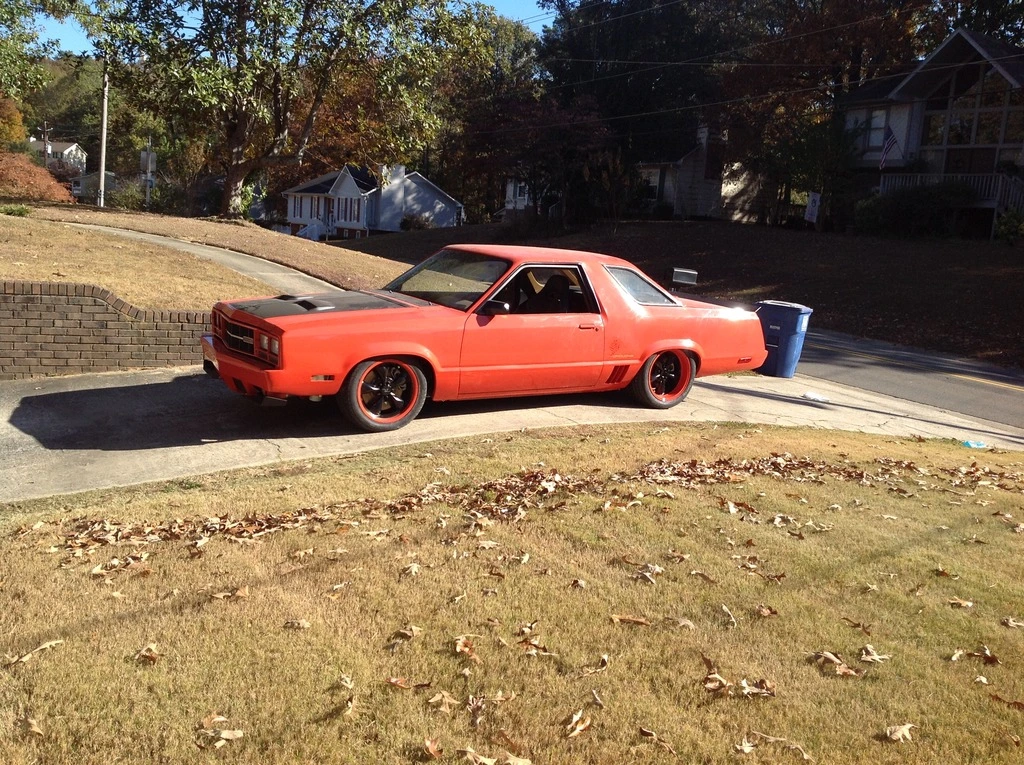
Just don't run out of gas, and you'll be fine Tanner.
Just don't run out of gas, and you'll be fine Tanner.
Pfft,..I cant get put on the tow truck w/o scraping when I run out of gas...and Steve, Your's is way lower than mine..
Just don't run out of gas, and you'll be fine Tanner.
Drove 12 miles like this once
It didn't show sideways once I submitted the post.Sideways?

Not even going to fix it
I'll tilt my head then.It didn't show sideways once I submitted the post.
Not even going to fix it

Replace your camera app
You could use an alternative camera app, like Camera+, instead of the iPhone’s built-in one. These apps tend to fix the pictures for you regardless of how you hold the phone. You'll just need to remember to use the alternate app when taking pictures.
Are you holding it wrong?
If you’re willing to hold your phone a certain way when you take pictures, then they will show up correctly. See the picture below. The phone’s round ‘home’ button is on the right side. This is the only way the iPhone knows how to take pictures without the rotation problem.
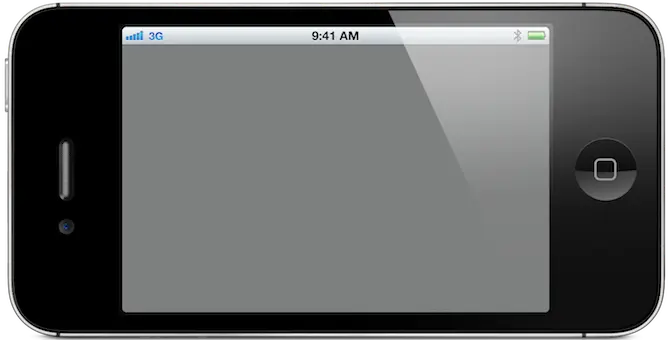
(If the home button is on the left, the picture will be upside down. This is a common trap when people press one of the volume buttons to take the picture.)
Now, look at the picture below. This is a very natural way that many people hold the phone when taking a picture, right?

Unfortunately, if you hold it this way, the receiver of the picture will get it sideways. There’s that neck crooking again!
But, what if you really want the picture to be portrait instead of landscape? Then, you’ll need to use an alternate camera app or grab Rotate Mailer from the app store, so you can email those tall portrait shots the right way.
LOL... I hit CTRL-V and it was still on the clip-board from the last time I posted it. This applies to some Android OSs too. I do not know which ones specifically.
You're Welcome
You could use an alternative camera app, like Camera+, instead of the iPhone’s built-in one. These apps tend to fix the pictures for you regardless of how you hold the phone. You'll just need to remember to use the alternate app when taking pictures.
Are you holding it wrong?
If you’re willing to hold your phone a certain way when you take pictures, then they will show up correctly. See the picture below. The phone’s round ‘home’ button is on the right side. This is the only way the iPhone knows how to take pictures without the rotation problem.
(If the home button is on the left, the picture will be upside down. This is a common trap when people press one of the volume buttons to take the picture.)
Now, look at the picture below. This is a very natural way that many people hold the phone when taking a picture, right?
Unfortunately, if you hold it this way, the receiver of the picture will get it sideways. There’s that neck crooking again!
But, what if you really want the picture to be portrait instead of landscape? Then, you’ll need to use an alternate camera app or grab Rotate Mailer from the app store, so you can email those tall portrait shots the right way.
LOL... I hit CTRL-V and it was still on the clip-board from the last time I posted it. This applies to some Android OSs too. I do not know which ones specifically.
You're Welcome
Seems I've seen this reply earlier today...Replace your camera app
You could use an alternative camera app, like Camera+, instead of the iPhone’s built-in one. These apps tend to fix the pictures for you regardless of how you hold the phone. You'll just need to remember to use the alternate app when taking pictures.
Are you holding it wrong?
If you’re willing to hold your phone a certain way when you take pictures, then they will show up correctly. See the picture below. The phone’s round ‘home’ button is on the right side. This is the only way the iPhone knows how to take pictures without the rotation problem.
(If the home button is on the left, the picture will be upside down. This is a common trap when people press one of the volume buttons to take the picture.)
Now, look at the picture below. This is a very natural way that many people hold the phone when taking a picture, right?
Unfortunately, if you hold it this way, the receiver of the picture will get it sideways. There’s that neck crooking again!
But, what if you really want the picture to be portrait instead of landscape? Then, you’ll need to use an alternate camera app or grab Rotate Mailer from the app store, so you can email those tall portrait shots the right way.
LOL... I hit CTRL-V and it was still on the clip-board from the last time I posted it. This applies to some Android OSs too. I do not know which ones specifically.
You're Welcome
Similar threads
- Replies
- 10
- Views
- 325


- Replies
- 2
- Views
- 182


- Replies
- 7
- Views
- 410